Pondery shows you what each student said and how it lines up with your rubric. It recommends a grade, and the decision stays with you.
See how the class did
Open Assessments, choose an assessment and press View results. The top of the page tells you how many students have finished, how many reports are waiting for you, and which criterion to look at first.
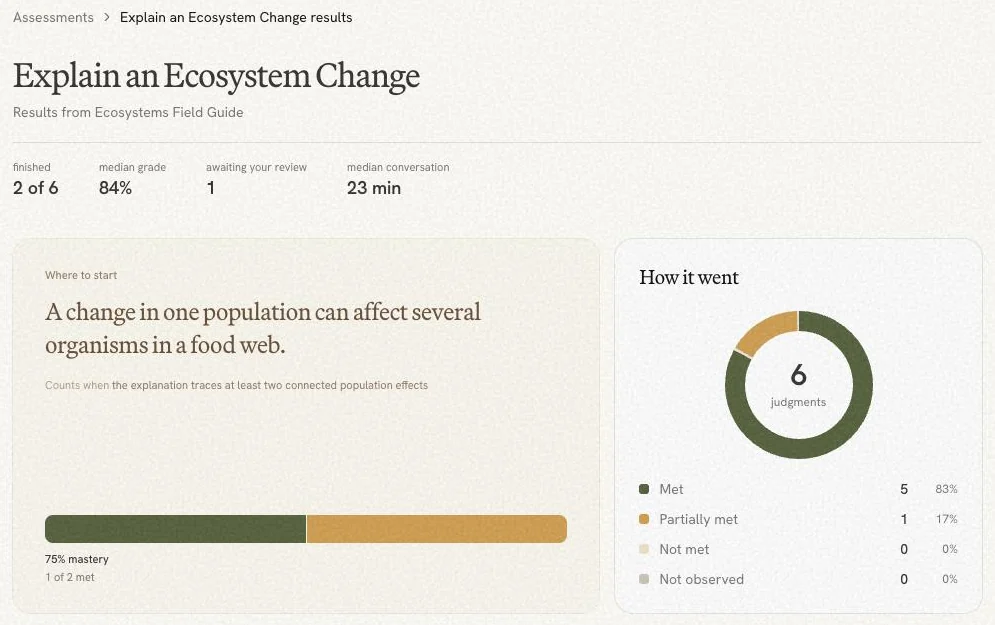
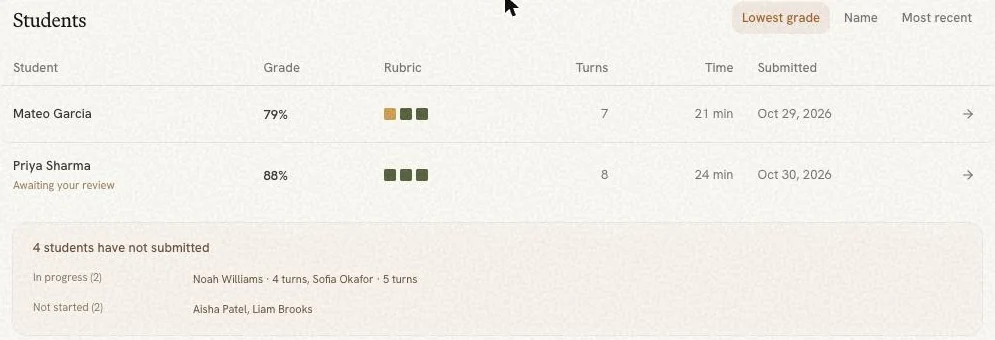
Below that, each criterion gets a bar with one segment per student, weakest first. At the bottom, the Students list shows everyone who has submitted. Anyone waiting on you is marked Awaiting your review, and a panel lists students who are in progress or haven't started.
Open a student's report
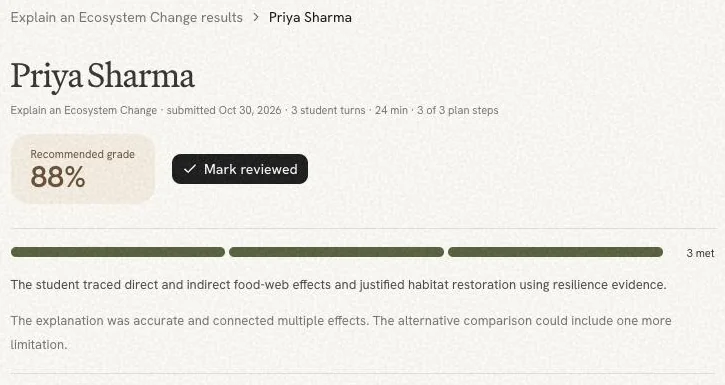
Choose a student to open their report. It leads with a recommended grade and a short account of how the conversation went.
Check the evidence
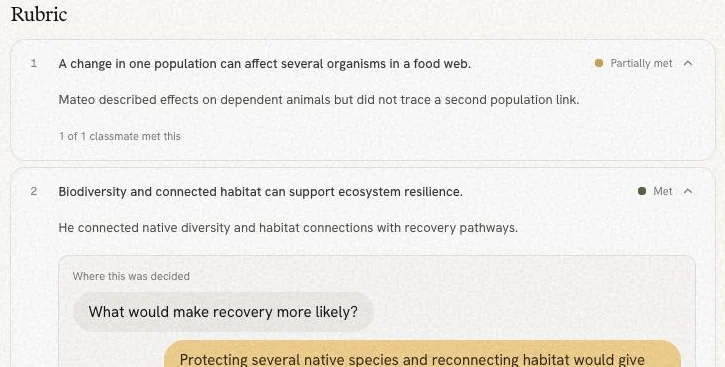
Under Rubric, each criterion has one of four results:
- Met
- The student showed this in the conversation.
- Partially met
- They showed part of it. The note says what was missing.
- Not met
- The conversation tested this and the student didn't show it.
- Not observed
- It never came up, so it isn't counted as a score.
Open a criterion to see why. Where this was decided shows the moment in the conversation that the result is based on, so you can judge it yourself. Full conversation, further down, has the whole transcript.
Make the mark
Read the summary and the recommended grade.
Check anything that surprises you.
Open the criterion, and read the conversation if you need more context.Record your mark in your gradebook.
Use the recommended grade as a starting point, or set your own.Press Mark reviewed.
The report leaves your waiting list.
Common questions
Can I change the recommended grade in Pondery?
Not at the moment. Pondery shows its recommendation, and your own mark goes in your gradebook. Marking a report reviewed records that you've read it.
How do I find what the whole class struggled with?
Start with Where to start on the results page, or ask the teaching assistant what to reteach.
Does Pondery detect AI use?
No. Pondery doesn't try to detect AI. The evidence comes from the conversation itself, where a student has to explain their thinking in real time.